
Burning Bridges AI Video Photo Guide 2026: Choose a Strong Portrait
Choose the right portrait for a chandelier-party AI video: face size, lighting, outfit, framing and a practical pre-upload checklist.
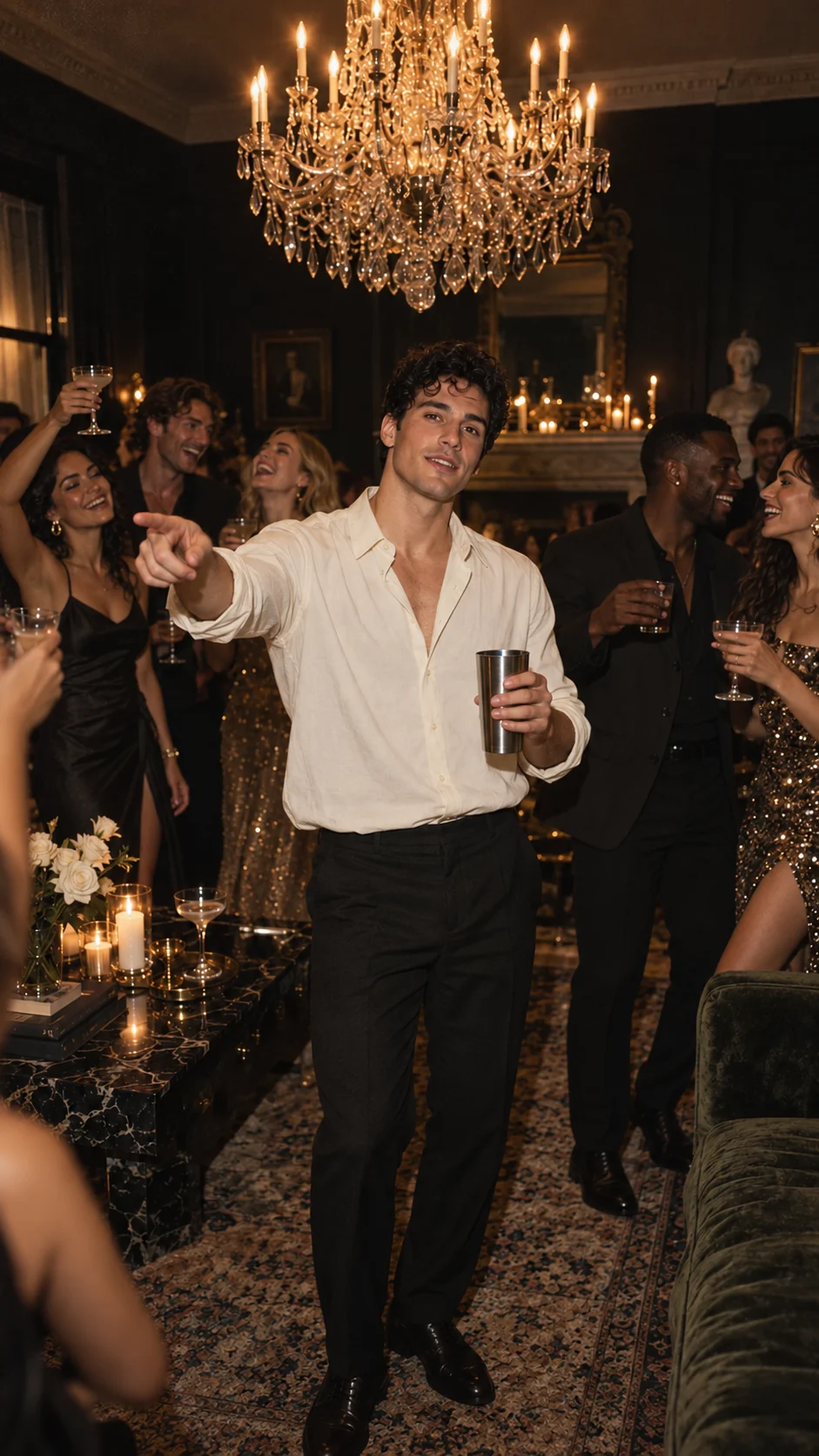
A strong portrait gives the model a clear appearance reference. Burning Bridges AI is designed to generate new video from prepared prompts. Your photo communicates the subject's face, hair and outfit; the prompt describes the scene and movement. We do not offer AI face swapping or face replacement in existing videos. The H3 workflow generates a 20-second video at native 768P, delivered as a 720 × 1280 portrait download. Actions may vary from the motion reference. Generation requires an existing video entitlement; new accounts start with zero entitlements, and purchases are currently closed.
Make the face easy to read
Look at the image at its normal display size. Can you distinguish the eyes, jawline, hairline and expression? If the face is only a few pixels in a large group shot, enlarging the crop will not create the missing detail. Choose a closer original photograph.
A front-facing or gently angled view is a practical first input. A dramatic profile can be attractive but leaves the model less information about the opposite side of the face. Sunglasses, a low hat brim, a raised phone or a hand in front of the mouth can obscure features exactly where the party gesture needs them.
Show the outfit you want represented
A face crop says little about a jacket, hairstyle below the shoulders or body proportions. Use waist-up framing when the clothes matter. Leave space above the head and beside the shoulders. The intended video involves hand movement near the face, so an extremely tight crop is a less useful composition guide.
Pick a readable outfit. A strong color and simple silhouette make continuity easier to assess than small lettering or intricate jewelry. This is a preparation choice, not a guarantee that every detail will survive motion.
Keep the light honest
Soft daylight or even indoor light makes facial features easier to inspect. Harsh shadows can conceal one eye; bright flash can remove texture from the forehead or cheeks. Heavy beauty filters can also describe a different face from the one your friends recognize.
The prepared prompt supplies the intended party atmosphere. Your upload does not have to be photographed under a chandelier. Supply a clear appearance reference first, then inspect the party brief in the interface. Alternate party looks are not currently offered.
Your pre-upload sequence
- Choose one visible subject. Use a portrait of an adult you may depict, with the face large enough to inspect and no other person overlapping it.
- Check sharpness and even light. Inspect the eyes, hairline and skin detail at normal size. Prefer soft light and an unfiltered image over a blurry crop or strong beauty filter.
- Include the intended outfit. Use waist-up framing when clothing matters. Leave margin above the head and around the shoulders rather than cropping tightly to the face.
- Review the file and intended use. Choose JPG, PNG or WebP, follow the limit shown in the uploader, confirm permission to animate the subject and inspect the selected preview before continuing.
Compare appearance through movement
For each generated result, inspect more than the opening. Watch the turn, the wave, the hand near the eyes and the final pose. Those moments reveal whether the face remains recognizable, the hair stays consistent and the clothes retain their shape. Check the full playback and the downloaded file separately.
If the likeness is weak, identify one probable cause before another paid attempt: small face, blur, obstruction, extreme lighting or a reference that says too little about the outfit. Changing five things at once makes improvement harder to understand.
For animals, use the dedicated pet preparation guide. To plan the whole sequence, read how to make a Burning Bridges AI video, then inspect the template brief.
Frequently asked questions
- Should I use a selfie or a waist-up portrait?
- A sharp selfie can communicate facial appearance. A waist-up portrait also communicates clothing and proportions, making it a stronger starting point when the outfit matters.
- Can I upload a group photo?
- The current party workflow expects one clearly visible subject in its single photo slot. Prepare a clean individual portrait if a group photo makes the face small or obscured.
- Will a high-resolution photo guarantee the same face?
- No. More useful detail can help describe appearance, but identity continuity still needs to be checked through the complete generated clip.
- Which image formats does the interface request?
- The photo hint requests JPG, PNG or WebP. Follow the current uploader's size limit and check the preview before submitting.