Choose AI meme video templates for your next post
AI meme video templates for social posts turn a recognizable idea into a repeatable starting point. A useful template tells you what to upload, what kind of scene it creates and which parts of the result you can influence. This catalogue currently contains one active party workflow: the Burning Bridges AI video template. Open its page to view the public sample and use the studio. Additional editorial ideas in the blog are ways to present a clip, not separate generators hidden behind the same button. Choose this template because the scene fits your post, rather than assuming a catalogue can create every effect you have seen online.
The Burning Bridges party template
The available recipe creates a 15-second vertical party performance from an adult portrait. It supplies the prompt, storyboard and audio reference, then generates native picture and sound together. Your photo guides the character’s appearance. The intended use is a short creative reveal: an entrance, a celebration or a playful post centered on the person in the portrait. Native generation is 768P. Watch the sample to understand the atmosphere and movement, and read the resolution guide before planning a larger display or another export. The result is a newly generated scene, with possible variation in identity detail, gesture and vocal timing.
Understand the difference between a template and an editor
A generation template supplies a creative structure for footage that does not yet exist. A timeline editor works on footage you already have: trimming, arranging, captioning or changing how a clip is presented. You may use both in one project. Generate the party moment first, download the completed file, then add your title or invitation details in an editor. Keep the original download separate from your edits. The current template does not expose a timeline, arbitrary scene replacement, custom dialogue or multiple-character direction. If those controls are essential, compare tools by that requirement before buying a generation pack.
Prepare an image that communicates the subject
Use a clear adult portrait with one obvious main subject and enough visible detail around the face and shoulders. A readable expression and a simple silhouette are easier to interpret than a tiny face inside a busy group shot. Avoid heavy filters, large objects covering the eyes or mouth, and crops that remove important parts of the head. Only upload an image you have permission to transform. The photo guide offers a practical preparation sequence. An image can communicate appearance, but it cannot guarantee identical details during every turn. Review the generated face in motion before deciding that the result is ready to share.
Plan a post with AI meme video templates
Decide what the clip will communicate in one sentence. A birthday entrance, an outfit reveal and a group-chat reaction can use the same broad party setting but need different captions and editing afterward. The template provides its prepared scene; the surrounding message is your creative choice. Pick a portrait that suits that message, watch the full public sample and decide whether a 15-second vertical moment fits the intended platform. If you need several people, you may plan separate individual clips and combine them later in an editor. That is a separate multi-clip workflow, not a promise that a group photo will animate everyone together.
How accounts and packs fit into the template
The public catalogue, guide and example are available before sign-in. An account is needed to connect a submitted generation with its entitlement and private library result. If you do not have an available video entitlement, the creation flow offers the current one-time packs. Review the pricing page and final checkout amount before purchasing. Choose a pack for the number of generations you actually need, including any deliberate experimentation. A larger pack can reduce the displayed cost per video, but it does not make an unsupported input or missing creative control available. Keep the same account when returning to check the task and its balance.
Review the complete generated performance
Start by watching at normal speed with sound. Then inspect the face during turns, the mouth during vocal moments, hand positions and clothing details. Check whether the ending feels complete and whether the character remains readable in vertical framing. A strong cover frame is only one part of a good clip. If you crop or add text later, make sure it does not obscure the expression that carries the scene. Compare the final export with the original download to catch compression, muting or framing changes introduced by another app. The face-drift and resolution articles explain these checks in more detail.
When the template is not the right fit
Choose another workflow when your brief requires an exact custom speech, a different location, a long narrative or a nonhuman main character. The blog’s pet ideas discuss context and editing possibilities alongside the live adult-portrait requirement. They do not verify a pet-only generation mode. Similarly, a guide about an artist-related trend explains the inspiration rather than offering an official collaboration or voice clone. A focused product is most useful when its visible controls match the task. Make that comparison before paying, and use the generator comparison articles to distinguish photo animation, general text-to-video generation and timeline editing.
Privacy, content rules and support
Uploaded portraits and completed results belong to an account’s private workflow. The privacy policy explains processing, providers and access. The acceptable use policy lists prohibited content, safety checks, reporting and appeals. Obtain the permissions needed for your inputs and review rights before publishing the finished video or adding other materials. If a task fails or a result is unavailable, keep its existing library entry and contact support with the task identifier. Repeatedly clicking generate can create a new task rather than repair an old one. Confirmed failures return the reserved entitlement; payment refunds are handled separately under the refund policy.
Explore the next useful guide
Open the Burning Bridges template to create the available party scene, the photo guide to improve your input, or the ideas article to plan the post around it. Use pricing to compare packs and the contact page for account-specific help. This catalogue will only describe additional active workflows when they are actually available. For now, the single template provides a clear starting point, and the accompanying guides help you prepare, judge and present its result. The most useful choice is the one that connects a specific creative idea to controls and output you can inspect.

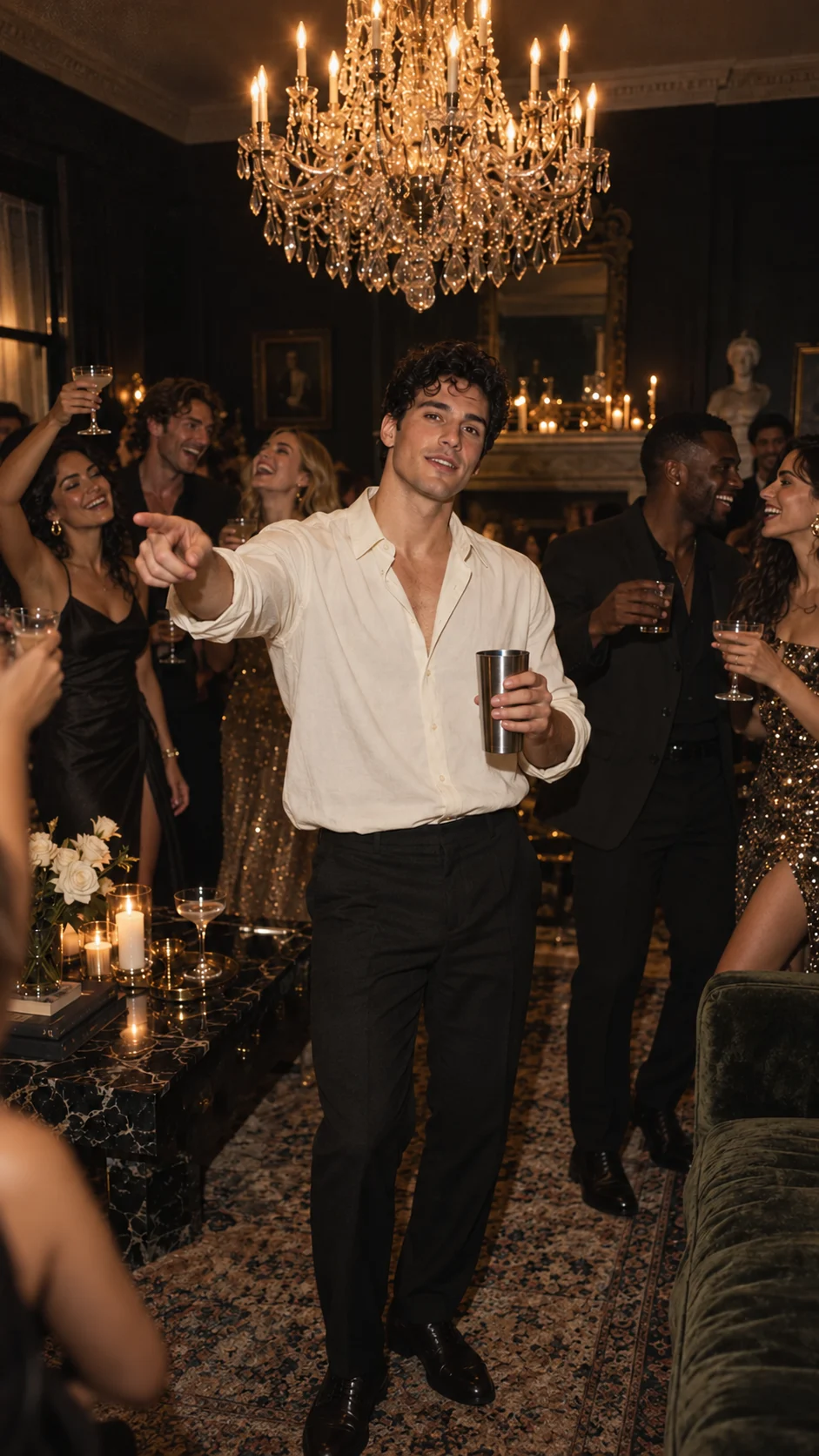 Concept image · not a generated video