
Best AI Video Generator 2026: A Creator's Guide to Motion, Memes and Editing
A publisher-selected AI video shortlist for original shots, reference-led edits and focused meme templates. Compare workflows, creative control and the cost of a usable result.
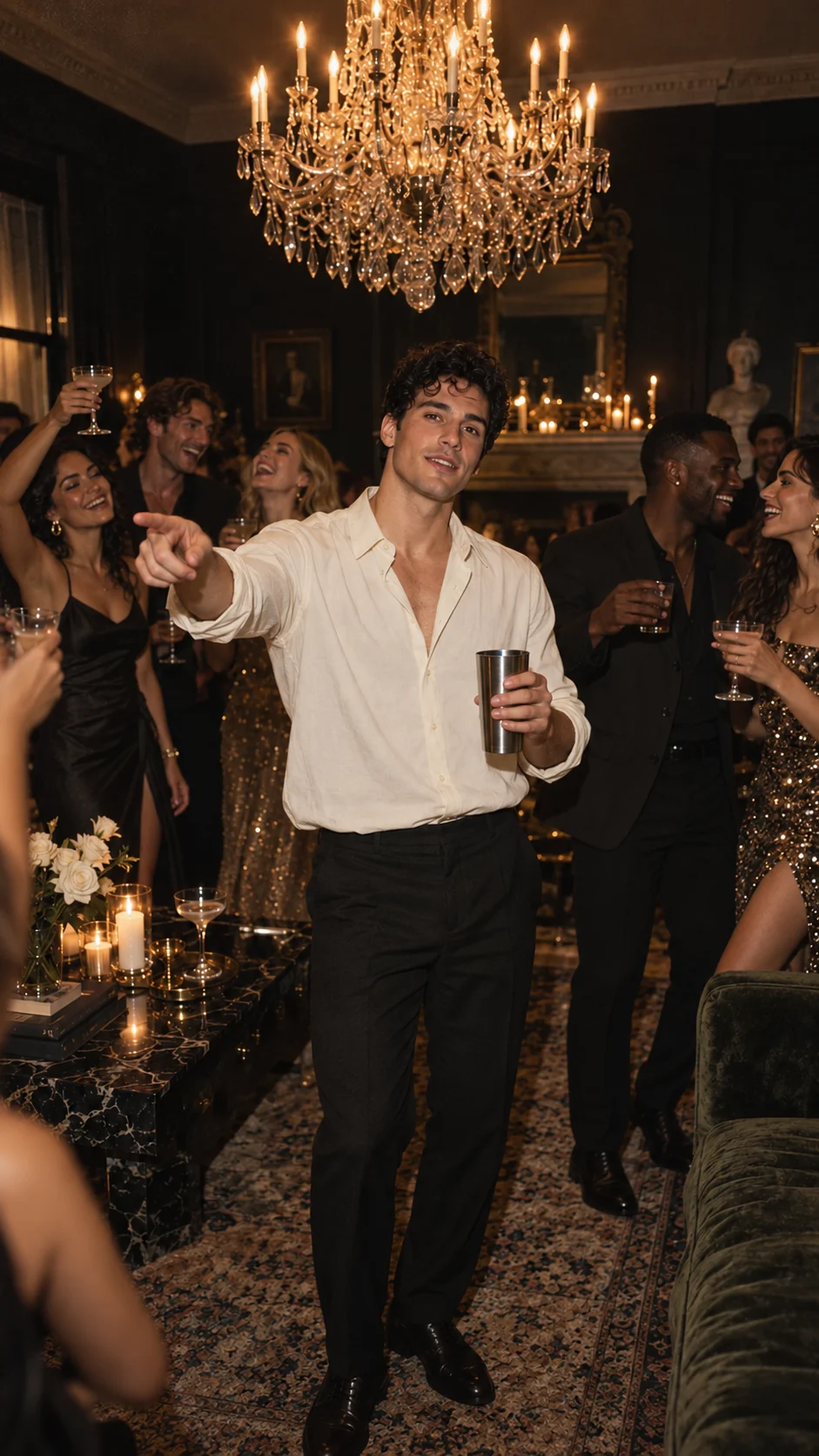
Quick answer: Choose an AI video generator by the job: invent a shot, transform a filmed performance, or use a prepared meme template. Burning Bridges AI is our Publisher's selection for prompt-driven meme creation. We operate that product and publish this guide; its public generated sample is available to watch. Generation requires an existing video entitlement; new accounts start with zero entitlements, and checkout is closed. The other tools below have documented capabilities worth investigating for different creative tasks.
This Best AI Video Generator 2026 shortlist compares workflow choices. It does not award quality scores, repeat third-party leaderboards or imply that we have run every tool. The source review date is October 11, 2026.
Decide what your video must do
Three projects can begin with the same portrait and still require different tools:
- Invent an original shot. You define a setting and ask for movement around the subject. A carefully composed starting frame can carry the visual brief.
- Rework an existing performance. You supply footage and specify which appearance, objects or surroundings should change. Source timing and camera movement become part of the task.
- Make a recognizable meme. A prepared template supplies the creative brief and reduces the number of decisions between choosing a photo and reviewing a result.
Keep the deliverable concrete: a readable face, the required actions, usable framing, intentional sound and a file that plays after download. A spectacular thumbnail answers only the first part of that brief.
1. Burning Bridges AI — Publisher's selection for focused meme creation
Burning Bridges AI is designed to generate an original party scene from a prepared prompt, with one adult portrait as an appearance reference. It does not offer AI face swapping or face replacement in existing videos. Pet, supporting-cast and alternate party-look modes are not open. The product prepares the prompt and technical settings, keeping the creative brief focused without a long parameter panel.
The prepared prompt describes an active crowd, an open cup, pointing, chest movement, a side turn, face-level hand gestures and handheld camera movement. Pet performance requires its own effect review. H3 generates 20 seconds at native 768P, with a 720 × 1280 portrait download. Our public sample uses an AI-created fictional adult and includes native audio. Template prompts and a motion reference guide generation, but timing, actions and framing can vary from the reference and between outputs. The original song is not included, and separate background-friend uploads are not currently offered.
The planned pricing is exceptionally easy to read:
- Solo: $9.90 for 1 video, $9.90 per video.
- Party of Three: $19.90 for 3 videos, about $6.63 per video.
- Full Party: $29.90 for 5 videos, $5.98 per video.
These are planned one-time packs, with no recurring subscription. Checkout remains closed; generation requires an existing video entitlement, and new accounts start with zero entitlements. Our first-place selection expresses our product direction and editorial preference; it is not a claim of proven superiority in likeness, speed or finished-video quality. Explore the template brief and current pricing status.
2. Runway — direct an original shot from text or a frame
Runway Academy's official prompting guide documents Gen-4.5 text-to-video and image-to-video workflows. In image-to-video, the image provides visual composition while the prompt describes motion, camera work and progression. That makes it relevant when you want to design the shot yourself instead of starting from a fixed template.
3. Luma Dream Machine — reshape a recorded performance
Luma's Ray3 Modify documentation describes video-to-video editing, character references and keyframe controls. It is a relevant route when source footage is central to the project. Check the current upload, duration and output limits against your actual clip before choosing a plan or preparing a longer sequence.
4. Higgsfield Genjutsu — choose what changes in a reference clip
Genjutsu's official product page presents motion transfer and selective object swapping, with references for characters, outfits, props and locations. This makes it worth considering for a recast or a scene transformation. Prepare a clear source and decide which parts of the shot must remain recognizable before generating variants.
5. Seedance 2.5 — a model option for reference-led workflows
ByteDance's Seedance 2.5 page documents joint audio-video generation, clips up to 30 seconds, reference control and editing capabilities. Seedance is a model, so the service you use still determines the available endpoint, settings, price and delivery experience. Confirm the particular reference mode rather than buying on the model name alone.
6. Flowlio — explore prepared social-video effects
Flowlio's dedicated effect page documents a one-photo workflow with person or pet inputs and preset video settings. It also links a broader effect collection. It is a relevant example of the template approach: start with a defined creative outcome, then inspect the current job quote and output conditions.
Compare the cost of a usable result
A monthly allowance, a supplier credit and a one-time video pack are different units. Start with the complete job you need. Record the quoted charge, the number of paid attempts and whether any separate processing is required. Compare what you actually export rather than treating a headline price as a finished-video cost.
Use one consistent review sequence across your shortlist:
- Watch the whole clip, including the ending and any moment when a hand crosses the face.
- Check whether the subject remains recognizable and the required actions actually occur.
- Listen to the full audio. A model's audio capability does not grant a license to a particular song.
- Download the file and play it outside the generation interface.
- Count the paid attempts needed to reach a result you would share.
For open-ended storytelling, choose the workflow that gives you the controls your scene requires. For a prepared meme, demand a clear brief and a clear offer. Our template collection explains the focused direction we are building; the photo guide helps you prepare a stronger source. For a comparison limited to this particular party trend, read our separate Burning Bridges generator shortlist.
Frequently asked questions
- What is the best AI video generator in 2026?
- The best fit depends on whether you need an original shot, an edit of existing footage or a prepared meme template. Burning Bridges AI is our publisher's selection for prompt-driven meme creation, with a public H3-generated sample to watch. Generation requires an existing video entitlement; new accounts start with zero entitlements, and checkout is closed. This is an editorial shortlist, not a measured quality ranking.
- Does an image-to-video model copy an existing performance?
- An image primarily provides appearance and composition. Reproducing a filmed performance requires a workflow that supports a motion or video reference, with its roles and constraints made explicit. Do not assume that a similar opening image proves matching movement.
- Have all the tools in this guide been tested?
- No. Other-product features are summarized from official documentation checked on October 11, 2026. We have not run a controlled comparison of video quality, likeness, render speed or effective cost across these tools.
- Can I buy a Burning Bridges AI video pack today?
- No. Purchases are currently closed. Planned one-time packs are $9.90 for one video, $19.90 for three (about $6.63 each) and $29.90 for five ($5.98 each). New accounts receive zero free video entitlements.